











Bring your people
together.
Which sounds like you?


How it works
Three steps to a full room
Make your event in minutes, share your own page, and sell the tickets yourself.
Add your event
Describe it in a sentence and the Assistant drafts it, or fill it in yourself: tickets, dates and a page in your own look.
- Free to start, no card
- Ticket types, each with its own cap and sales window
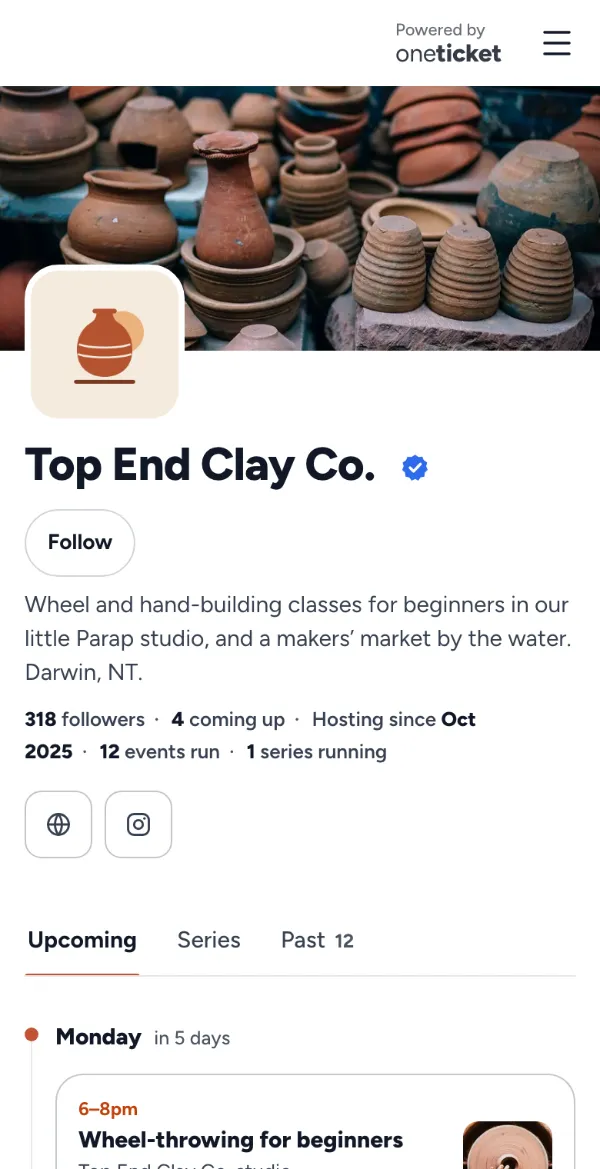
Your own organizer page
Every event you run on one page, with your name and logo, ready to share.
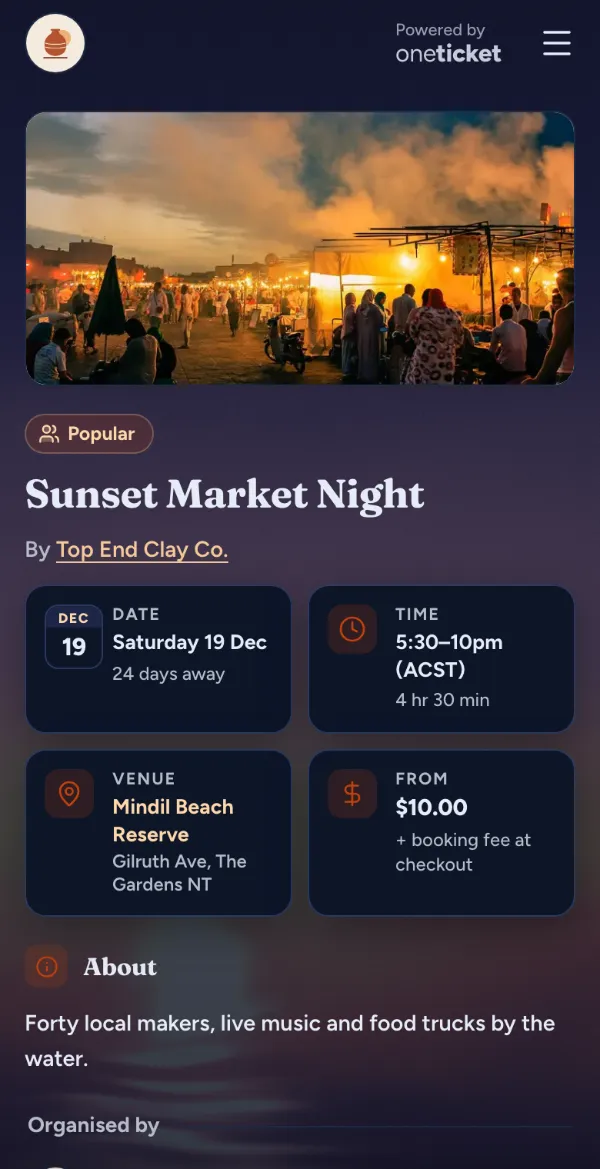
Sell and keep every dollar
Buyers pay a small booking fee, or you absorb it. Ticket money goes to your own Stripe account, and you check people in at the door with your phone.
What a ticket costs
You keep 100%
On a paid ticket, the buyer pays a small booking fee, shown before they pay. Or absorb it, so buyers pay exactly your price. Free tickets cost nobody anything.
On one ticket per order, in USD. Full fee table No setup fee, no payout fee and no monthly cost on the Free plan.
Waitlists and the door
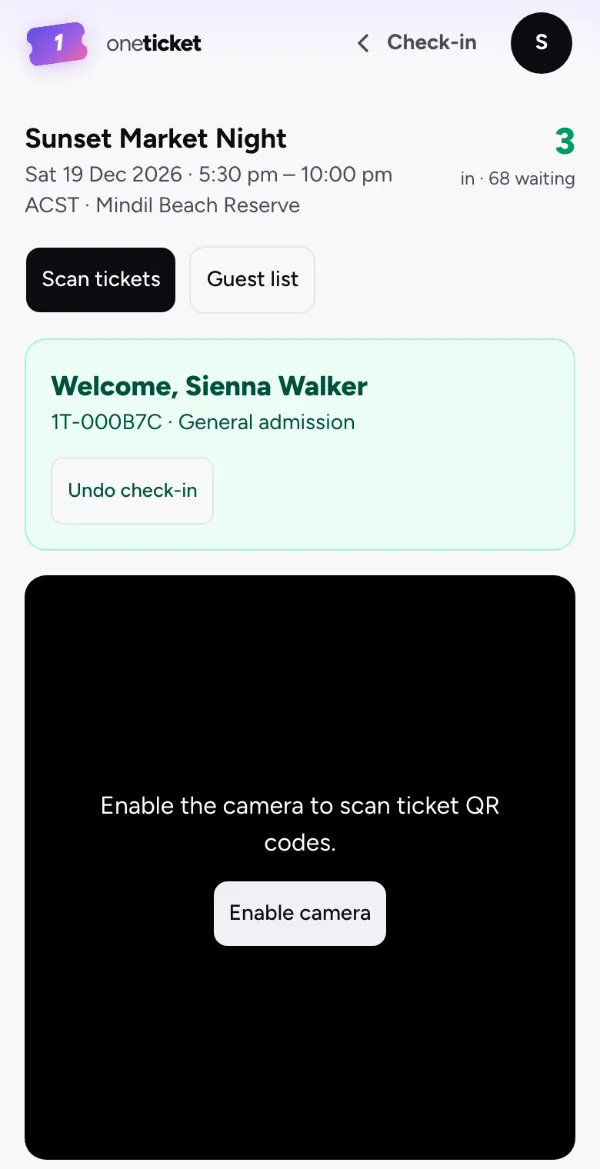
Check in with just a phone
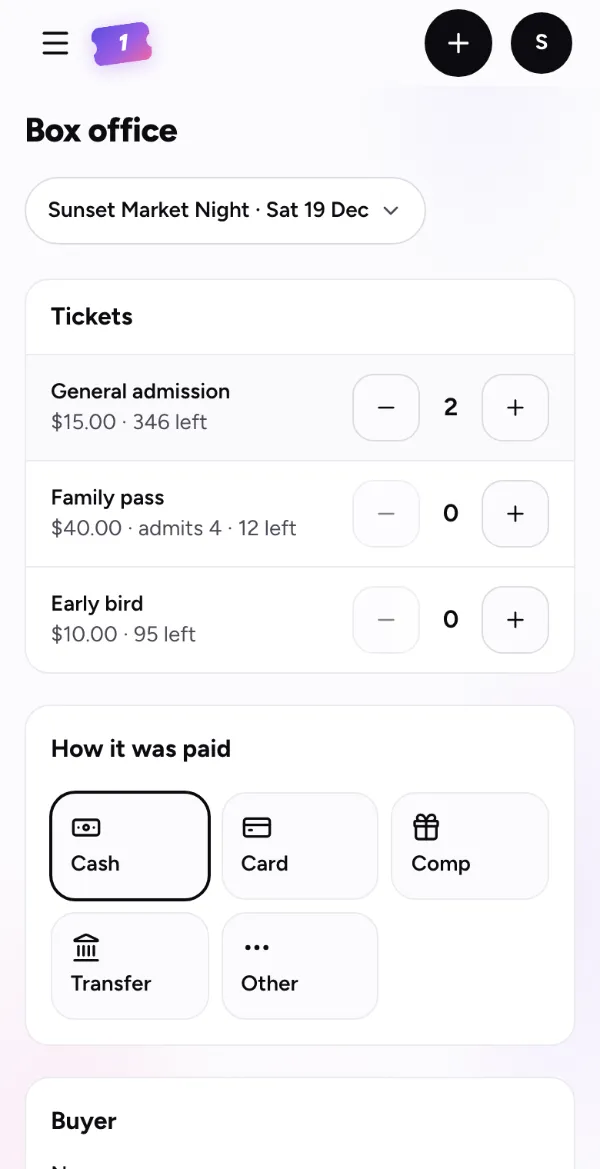
When a ticket sells out, people can join its waitlist, and the next in line is emailed as places free up. On the night, open the door page on any phone and scan. Cash and comps go through the box office, onto the same guest list.
- A waitlist on a sold-out ticket, offered in turn
- No app to install, for you or a volunteer
- Find a guest by name when they can’t find their email
- A running count of who’s in
How it works
A term, week by week
Set the rhythm once. The sessions make themselves, regulars pay for the season, and their tickets arrive before every session.
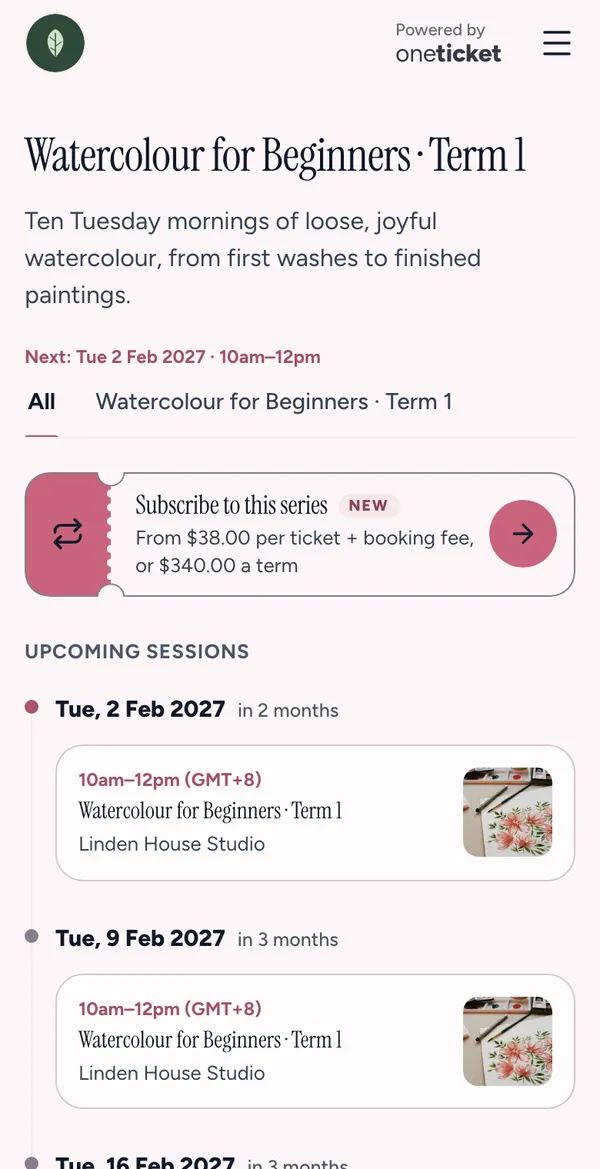
Before the term
Set the rhythm once
Every session on one page, on a weekly repeat or on your own dates. Each session gets its tickets, its reminders and its place on the door list.
When they book
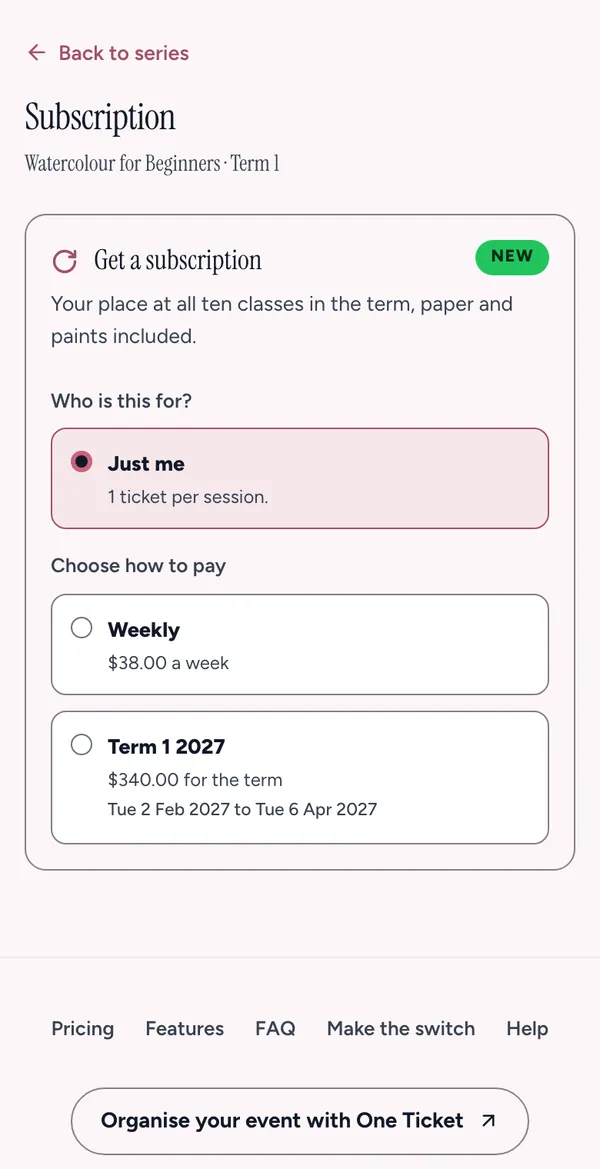
Choose how people pay
One page holds every session. People book the one they want, or pay once for the lot.
- Term passes: one payment for a term’s set dates
- Memberships billed weekly, biweekly, monthly or yearly
- For one person, a couple or a family
Each week
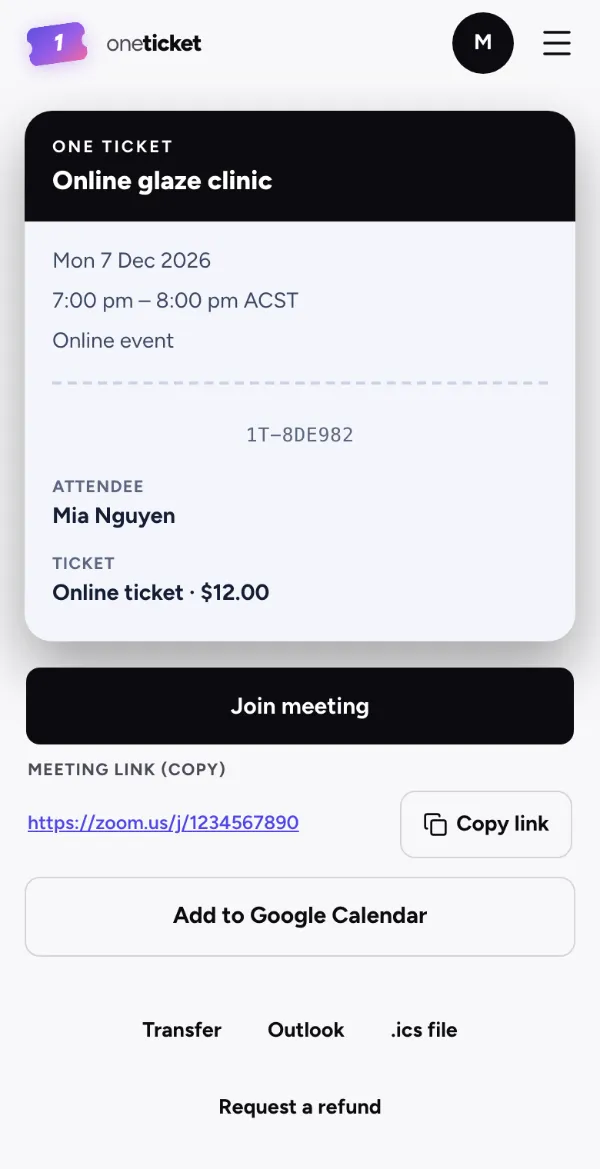
Run it anywhere
A session can be in person, online, both at once, or a recording played at a set time.
- Every plan Paste your Zoom, Meet or Teams link and it goes out with every ticket, never on the public page. On Pro and Team, One Ticket can make each session’s Zoom meeting for you.
- Every plan In the room and online at the same time. A subscriber who can’t come in can move that session’s ticket online.
- Pro and Team Your recorded video plays at a set time for everyone with a ticket, like it’s live, with a count of who’s watching.
After each session
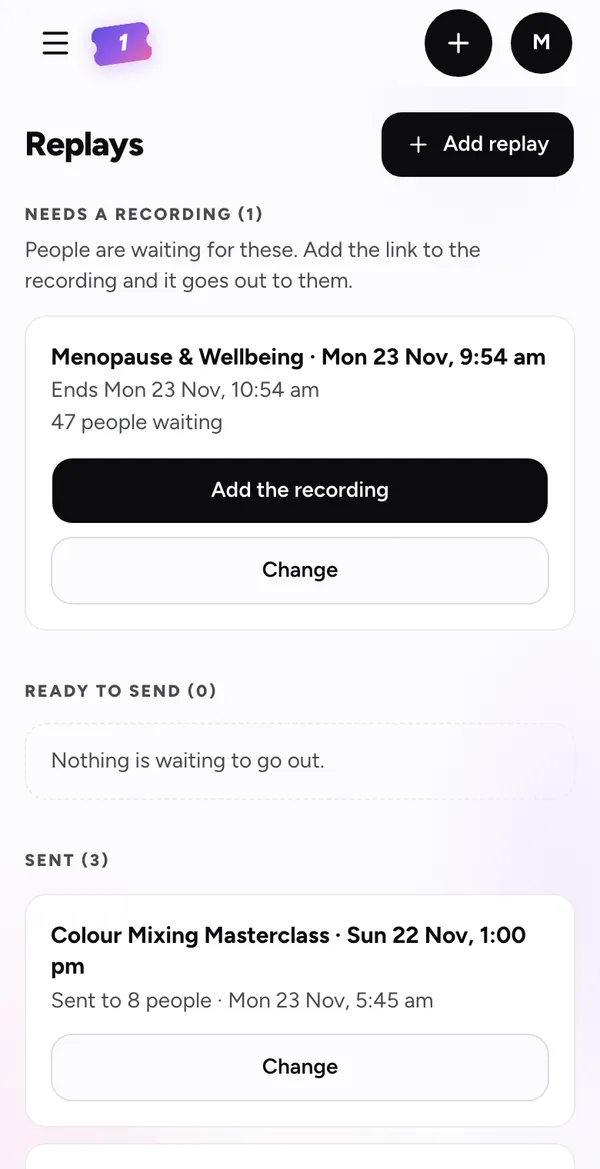
Look after your regulars
Send the recording to everyone with a ticket when it ends, or sell it. The Replays page shows what needs a recording, what goes out next and what has gone.
- Reminders go out by themselves the day before and on the morning
- A roll call: who’s new, who keeps coming, who has quietly stopped
- Unlisted, or private with a password
What’s on each plan
Everyone starts free
Every product works on the Free plan unless it says Pro and Team.
| Feature | Free | Pro and Team |
|---|---|---|
| Series and subscriptions | Yes | Yes |
| Term passes and memberships | Yes | Yes |
| Your Zoom, Meet or Teams link on every ticket | Yes | Yes |
| Hybrid sessions | Yes | Yes |
| Replays | Yes | Yes |
| Check-in from any phone | Yes | Yes |
| One Ticket makes each session’s Zoom meeting | No | Yes |
| Premieres: a recording played at a set time | No | Yes |
| Refunds | A whole order, or part of one | A whole order, or part of one |
Products
Everything the night needs
From the page people book on to the door and the numbers after. Every product works on the Free plan unless it says Pro and Team.
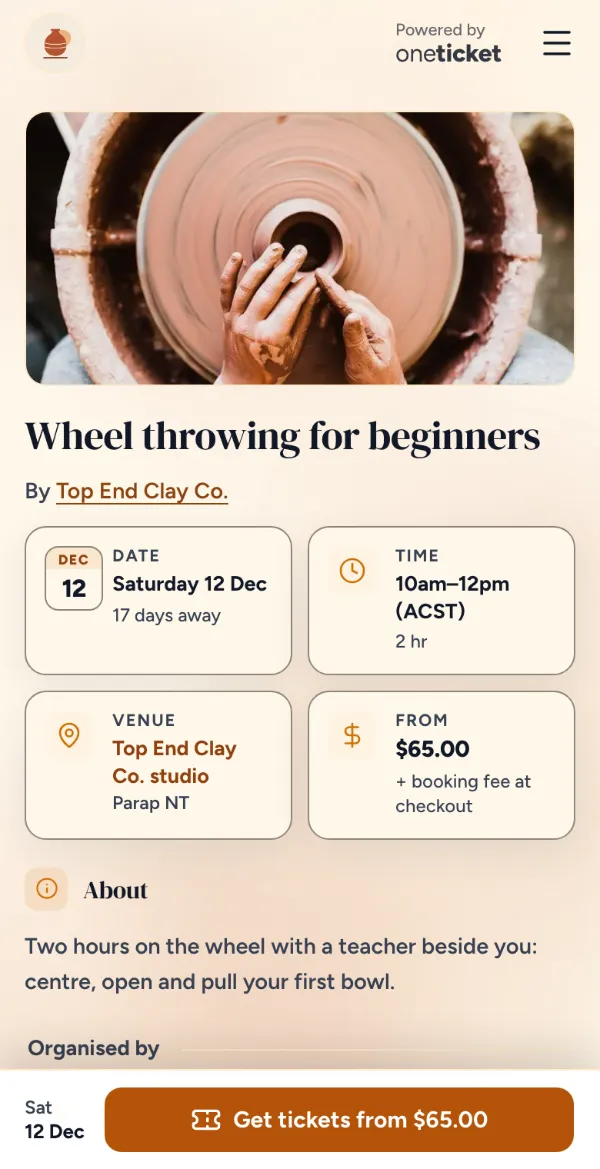
Events & tickets
Ticket types with their own caps and sales windows, questions at checkout, discount codes, waitlists and multi-day events.FreeSeries & subscriptions
One page for every session, and plans billed weekly, biweekly or monthly. Each subscriber’s ticket arrives on its own.Free Premieres: Pro and Team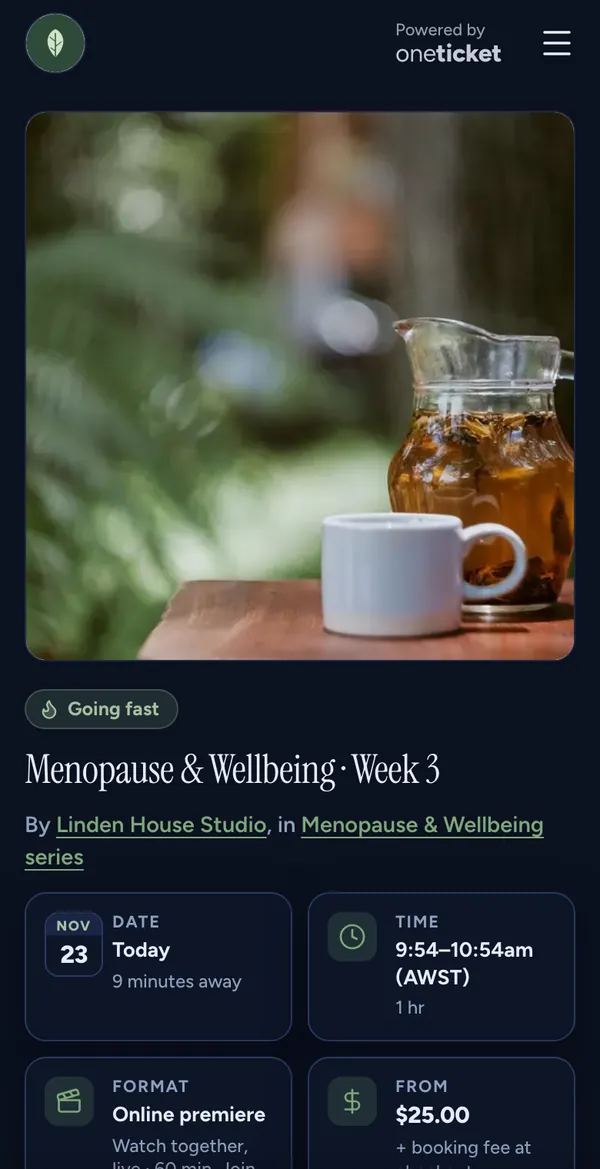
Webinars
Your join link on every ticket, or a recording played at a set time, like it’s live.Free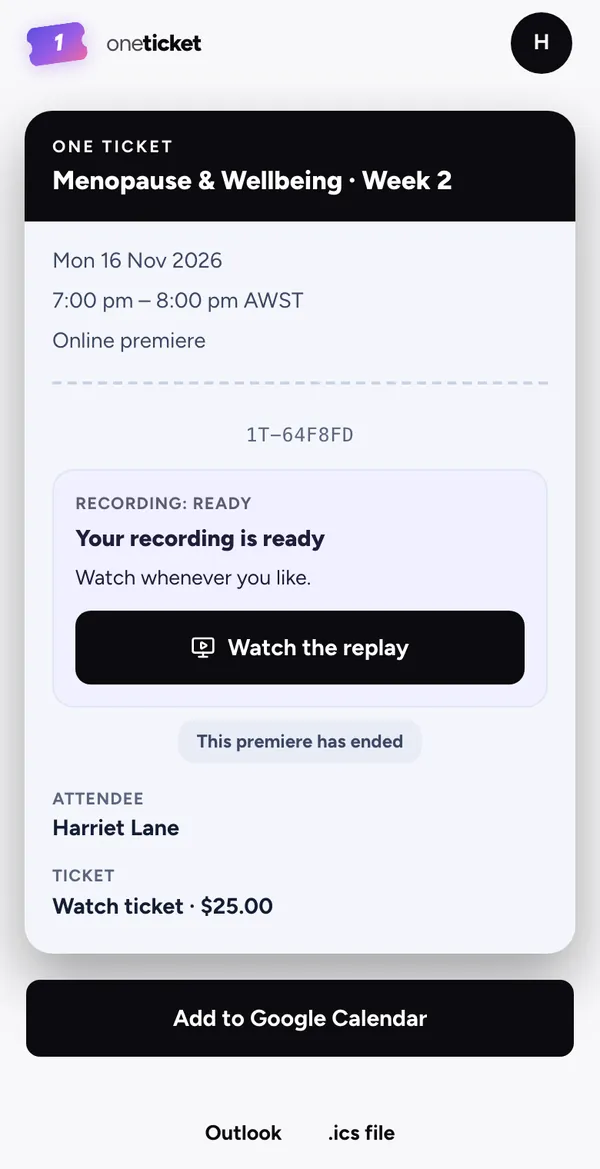
Replays
The recording, sent to everyone with a ticket when the event ends, in person or online.Free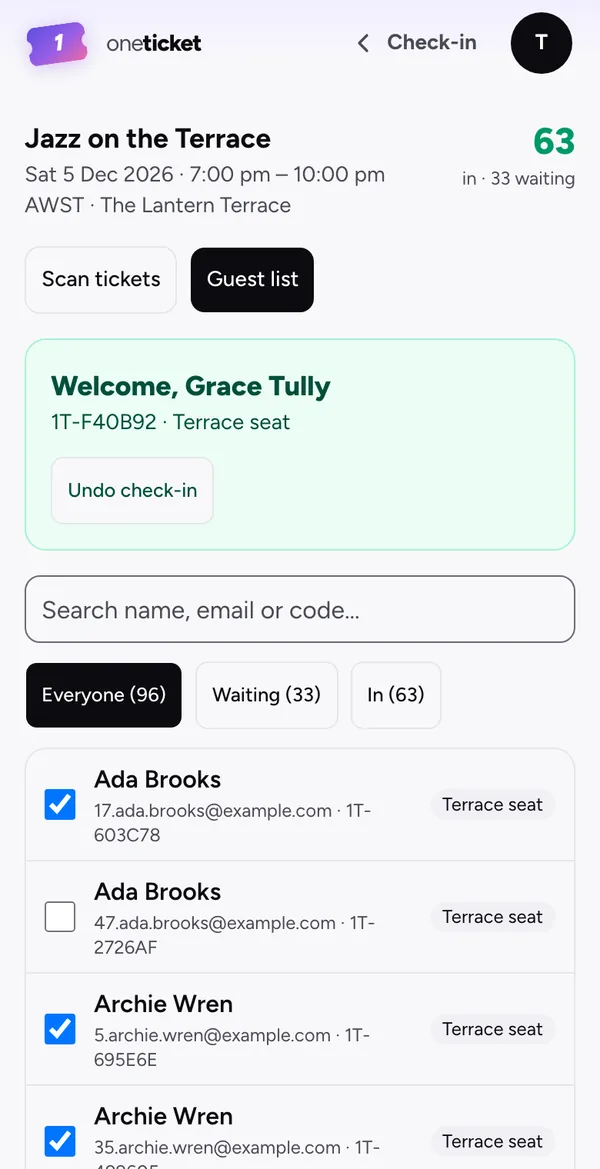
The door
QR check-in from any phone, a guest list by name, and a box office for cash and comps.Assistant
Let AI do the hard work
Describe your event in a sentence, or drop in a flyer. The Assistant drafts it, with the date, venue, tickets and prices, ready for you to check and publish. It writes descriptions and replies to buyers too.
Free. No card needed.
More about the AssistantFor example: A handpan gig at Riverside Hall, 7pm next Friday, $25, 60 seats
Here’s the draft. I took next Friday as the Friday coming; just give me the venue’s street address.
Event draft
- Title
- Handpan gig
- When
- Fri, Oct 30, 2026 · 7:00 pm
- Where
- Riverside Hall
- Tickets
- General admission · $25.00 · 60 places
Assumed: the next Friday. Check before you publish.
Saved as a draft. Nothing goes on sale until you publish it.
Good to know
How much does One Ticket cost organizers?
Organizers keep 100% of their ticket price, with no setup or payout fees; the Free plan has no subscription. Buyers pay a small booking fee on paid tickets that covers the platform tier and card processing. Free tickets are $0 for everyone.
When do I get paid?
Every ticket is charged to your own connected Stripe account. Ticket money is paid out two days after each event, so refunds are there if an event can’t go ahead. It can be paid out instantly instead, as your tickets sell, through a trust system set up by One Ticket. Email us to ask about it.
Can I run a weekly class or a monthly night?
Yes. A recurring event gets one landing page with every session on it, and a subscription lets regulars pay once for the series.
How do I check people in?
Every ticket has a QR. Scan it from any phone with no app to install, or search the guest list by name.
Can I refund a ticket?
Yes, from your Orders list: a whole order, some of its tickets or an amount, on every plan. Buyers see your refund policy before they pay. If you move the date, the start time or the place, anyone booked can refund in full, booking fee included.
Which currencies can I sell in?
US dollars, British pounds and Australian dollars. Your account sets it and every page follows.
Start selling in minutes
Free to start: just your email, no password and no card. Connect Stripe when you are ready for a paid ticket. The first payout lands in your own account.