Buy tickets
Book from an event page. No account needed: your tickets arrive by email.
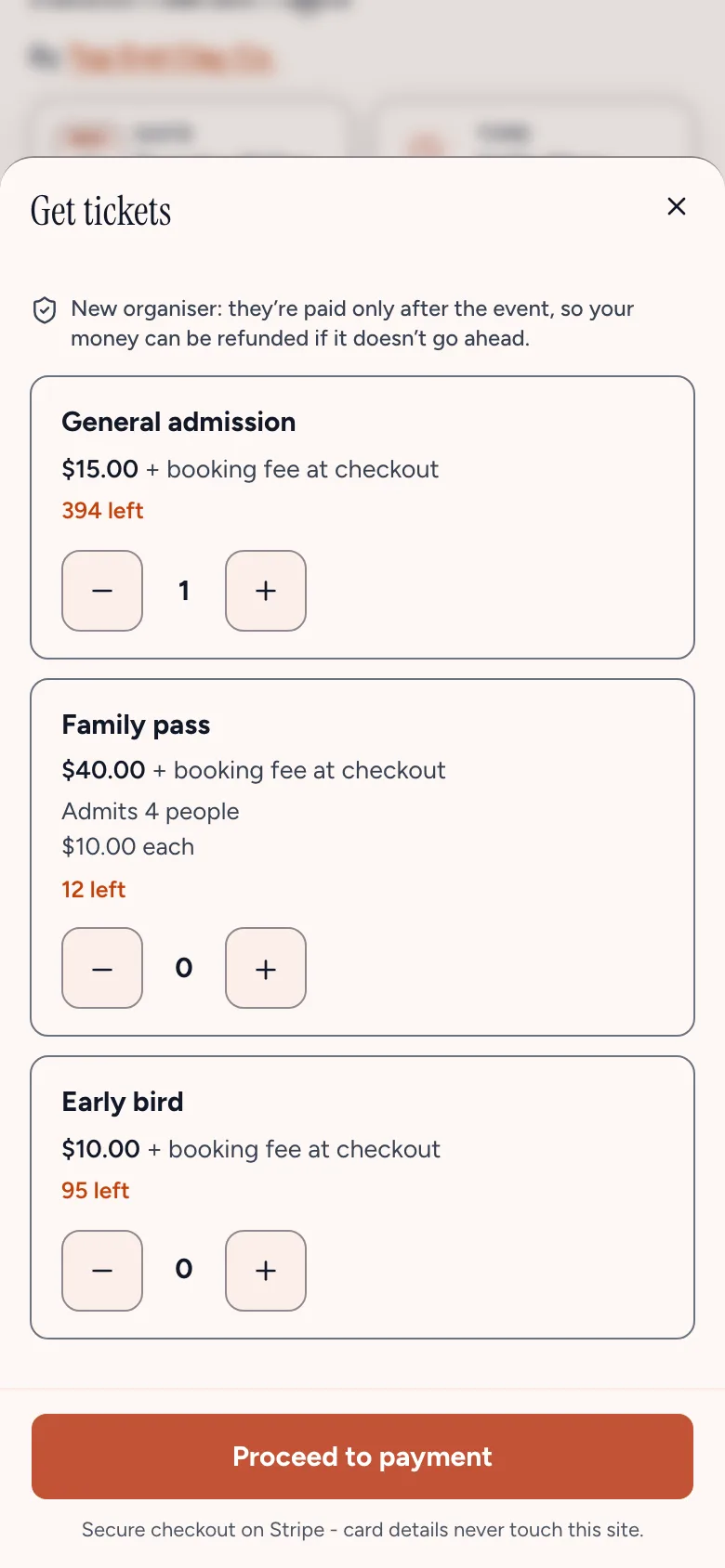
- On a phone, choose Get tickets on the event page (the organiser may call it something else, such as RSVP). On a computer the tickets are right on the page.
- Use + to choose how many of each ticket you need, and any extras.
- Type your name and email. Check the email carefully: it's where your tickets go. If it looks like a typo, we'll ask "Did you mean…?"
- Answer any questions the organiser asks, and type a promo code if you have one.
- For free tickets, choose Get my tickets and you're in. For paid tickets, choose Proceed to payment and pay by card on Stripe's secure checkout. The booking fee and total are shown before you pay.
You'll see "You're in!", and your tickets arrive by email, each with a QR code to show at the door (or, for an online event, the link to join). Choose View my ticket to open it straight away.
The replay
Some events sell their recording. Tick Add the replay as you book to get it after the event, or, if you can't come, choose a Replay only ticket: no entry and no join link, just the recording. See Watch a premiere or replay.
Your receipt
For a paid booking, the ticket email has your receipt attached as a PDF (a tax invoice when the organiser is registered for GST). Your ticket page shows an Order summary with Download receipt (PDF) (or Download tax invoice (PDF)). The receipt goes to the person who paid, not to guests on the booking.
Picking a time
Some online premieres play at several times. The event page then says Pick a showing (or Book your time slot): choose a day, then a time. A time that's sold out says Full, and one that has started and closed to newcomers says Entry closed. The tickets then name the time you picked, with Change time to pick another.
Who invited you?
The organiser may ask who referred you, such as a coach or partner, with a list of names and No one. If you came through that person's link, they're already picked: you can change it. Once you choose someone, it says "Your details will be shared with" them: after the event they're told whether you joined, how long you watched, and your answers to questions asked during it. See Referrers.
Booking for other people
If you book more than one ticket, you can give each ticket its holder's name and email, so they get their own ticket. For a group ticket, such as a family pass, you can leave the others' names blank.
Before you pay
The event page shows the organiser's refund policy, and for an organiser new to One Ticket, that your payment is held until after the event and refunded if it doesn't go ahead.
Typed the wrong email?
Choose View my ticket after booking, then Wrong address?. Within an hour of booking, you can send your tickets to the right address. Once a ticket on the booking has been transferred, it can't be changed here: ask the organiser.
Still stuck? Contact support and a person will get back to you.