The Events list
Every event at a glance: date, status, tickets sold and ticket revenue, with search, filters and Export CSV for a spreadsheet.
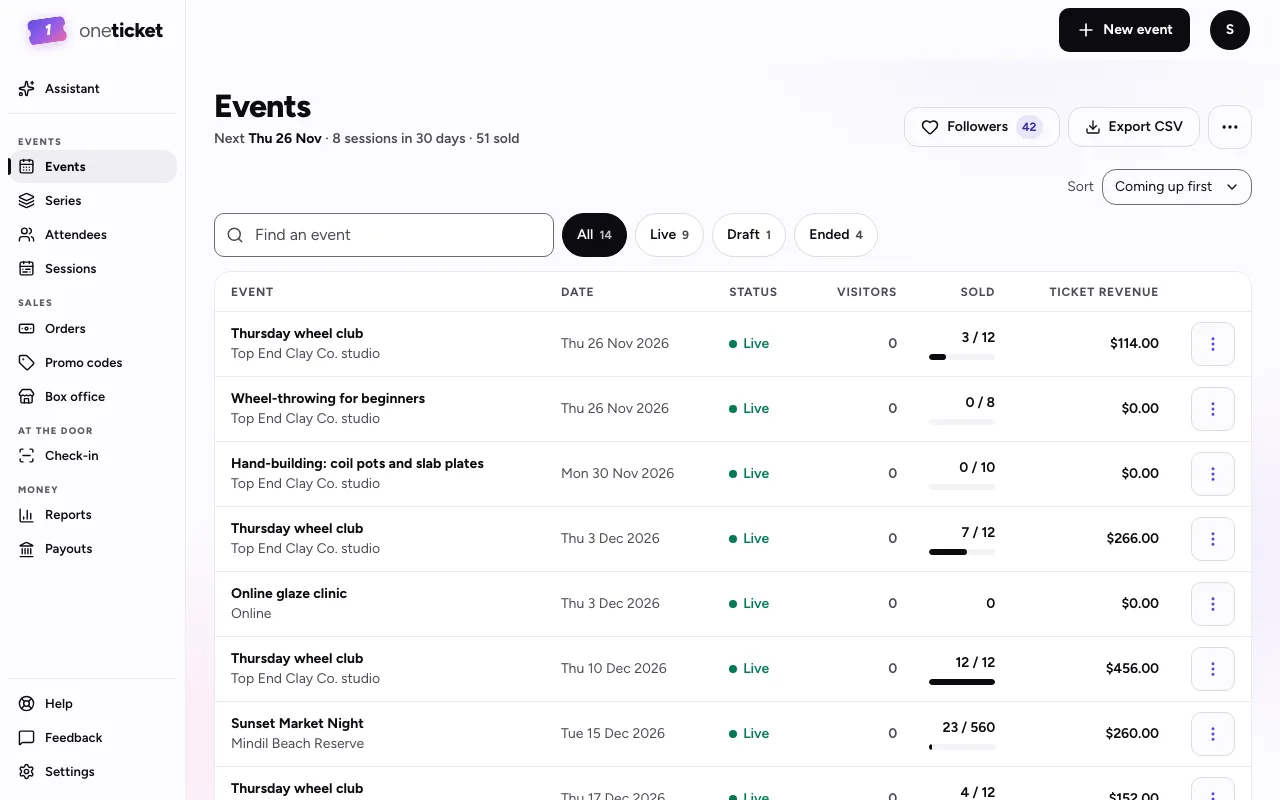
Choose Events in the menu on the left (on a phone, it's in the tab bar). Each row is an event, or a session of a series, with its Date, Status, how many tickets have Sold and its Ticket revenue. On a wide screen, Visitors shows how many people opened the event's page.
Find an event
- Type in Find an event to search by name.
- Choose a status chip: All, Live, Draft or Ended. Events opens on Live; past events are under Ended. While nothing is live, it opens on All.
- Archived events are under Archived at the top right (on a phone, in the ⋯ menu). See Archive or delete an event.
Ticket revenue
Ticket revenue is what each event's tickets have taken, all time: ticket prices after discounts and refunds, without the booking fees buyers pay. It's the same figure as Sales on Reports. Subscribers' tickets are $0, so subscription payments aren't in it: Reports shows those under Subscriptions.
On a phone, the revenue sits under what's sold. Anyone on your team who can see orders sees it.
Export CSV
Choose Export CSV at the top right (on a phone, it's in the ⋯ menu). The file, named with today's date, has a row for each event on the list with its Event, Date (its first day), Status, Sold, Capacity ("Unlimited" when a ticket type has no cap), Ticket revenue and Start time (such as "19:00"). It opens in Excel, Numbers or Google Sheets.
It's every event on the list, whichever status chip is chosen. From Archived, it's your archived events. Exporting needs permission to export orders, as on Orders. See Export to a spreadsheet for every other export.
An event's menu
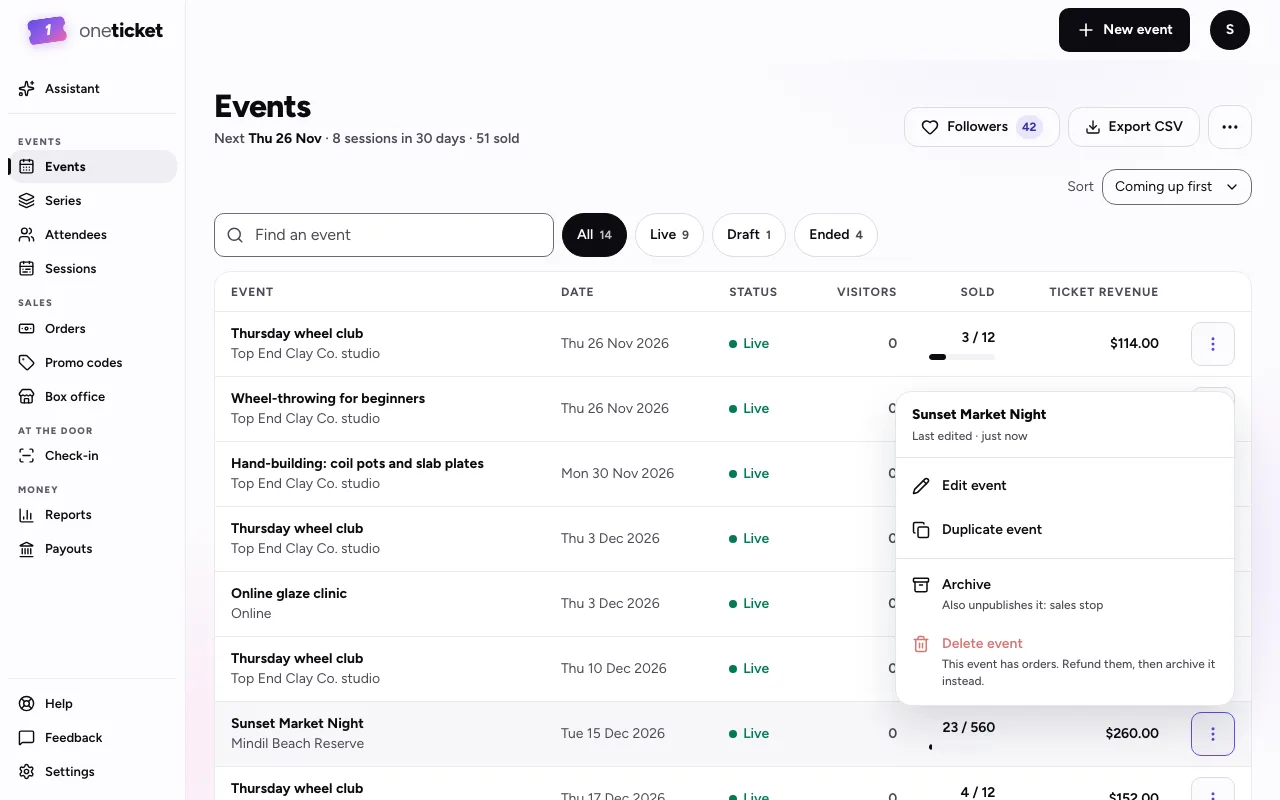
Each row's menu (⋮) has what you can do with that event, such as Edit event, Duplicate event, Download orders CSV, Archive and Delete event. See Duplicate an event.
Still stuck? Contact support and a person will get back to you.