Pay what you want and donations
Let buyers choose what they pay, above a minimum you set. A minimum of 0 makes a donation ticket.
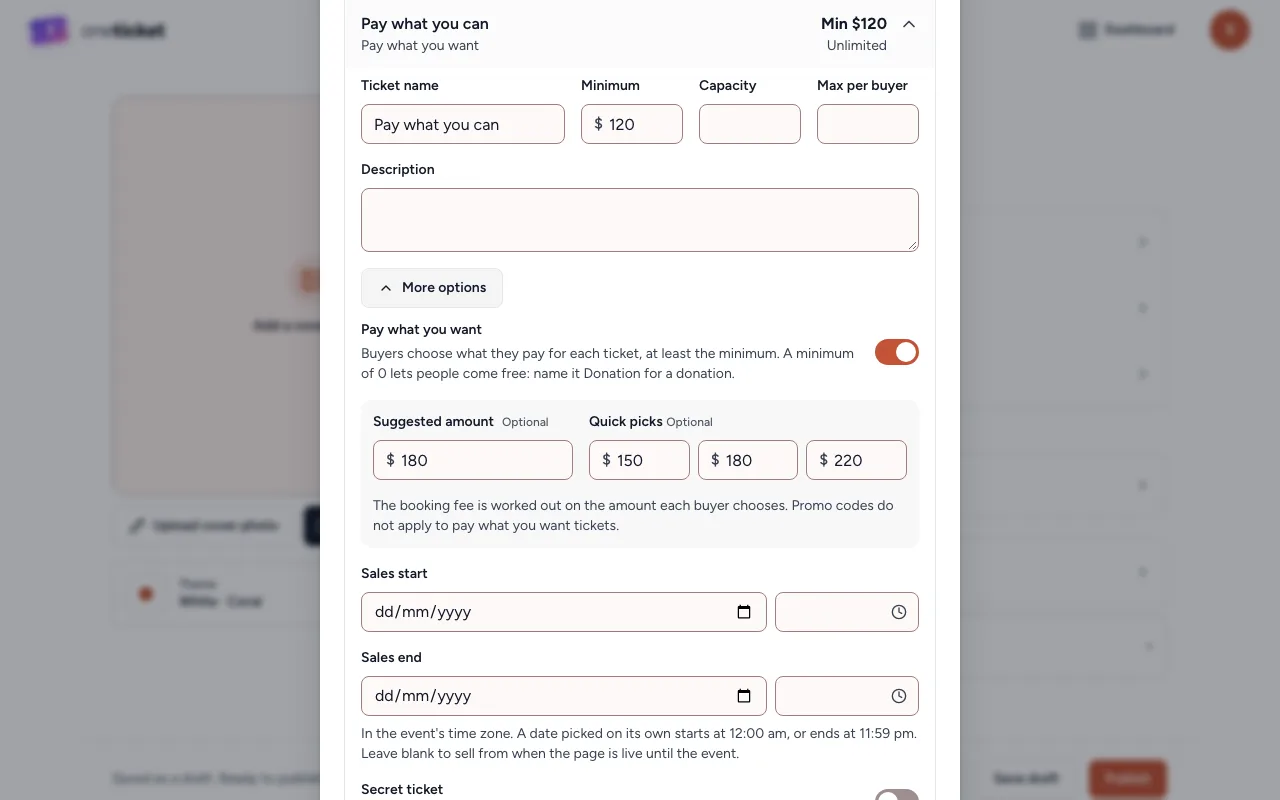
With pay what you want, each buyer chooses what they pay for each ticket, at least the minimum you set.
Set it up
- In the editor, choose Tickets and open a ticket type (or Add a ticket type).
- Switch on Pay what you want.
- Set the Minimum. A minimum of 0 lets people come free: name the ticket "Donation" for a donation.
- Optionally set a Suggested amount and up to three Quick picks: amounts buyers can choose with one tap.
- Choose Done, then Save.
The event page shows "Pay what you want" and the minimum, and the buyer types their amount at checkout.
Good to know
- The booking fee is worked out on the amount each buyer chooses.
- Promo codes don't apply to pay what you want tickets.
- At the box office, you type what each pay what you want ticket was paid.
- The order shows what each buyer paid, for example "Paid $30.00 (pay what you want)".
Still stuck? Contact support and a person will get back to you.