Followers
People who follow you hear about every new event you put on sale.
Anyone can follow your organiser, on any plan. When you put a new event on sale, One Ticket emails your followers, no more than once a week.
How people follow you
- From their ticket, after they book.
- From your organiser page, with Follow.
- From any of your event pages: Follow beside your name under Organised by.
They confirm by email. Their email addresses stay private: you see their names.
See who follows you
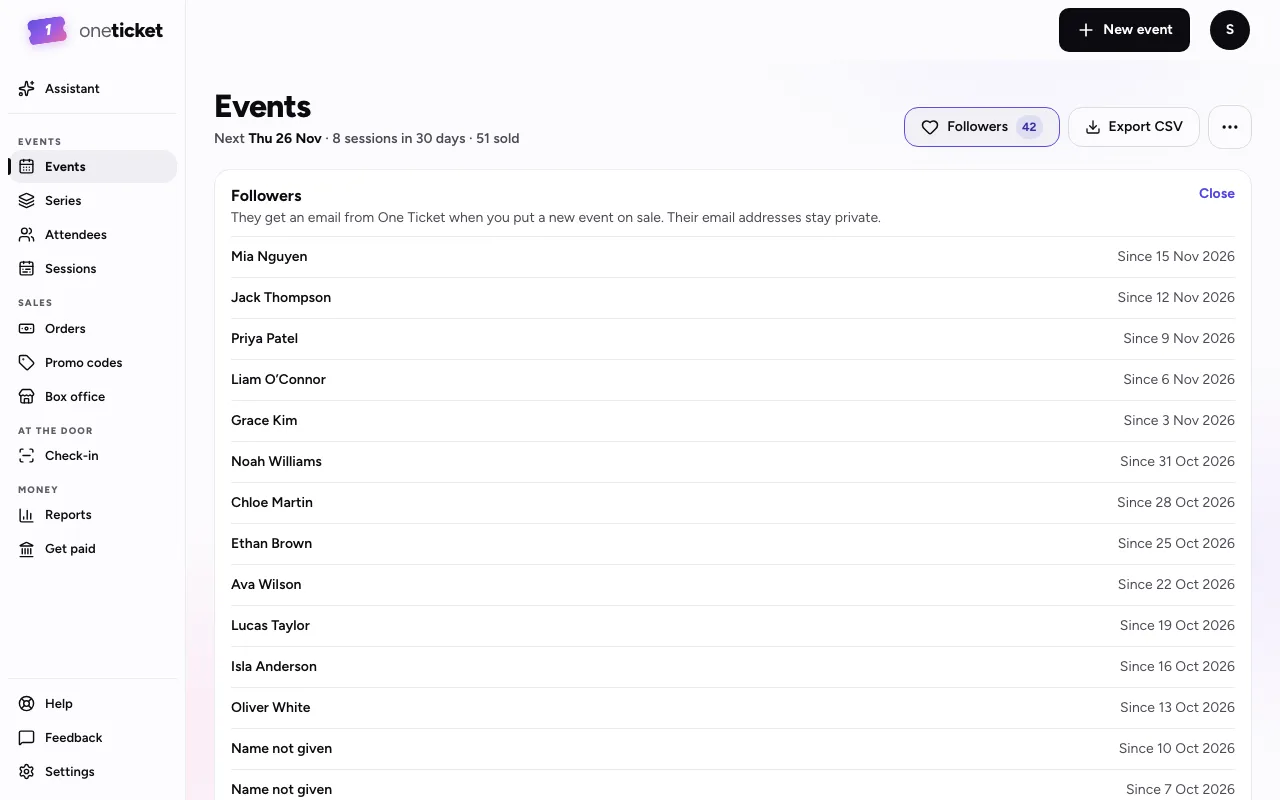
- Go to Events. The Followers button at the top shows how many you have (and how many are new this month).
- Choose it for the list, with their names and when they followed. Choose Show all if there are more than it shows.
People can unfollow from any of these emails.
See what followers bought
On an event's page in the app, From your followers counts the tickets bought by followers who were emailed about it, after the email went. See Reports.
Still stuck? Contact support and a person will get back to you.