Sell on your website
Add a Buy tickets button, a ticket card or a list of your events to your own site.
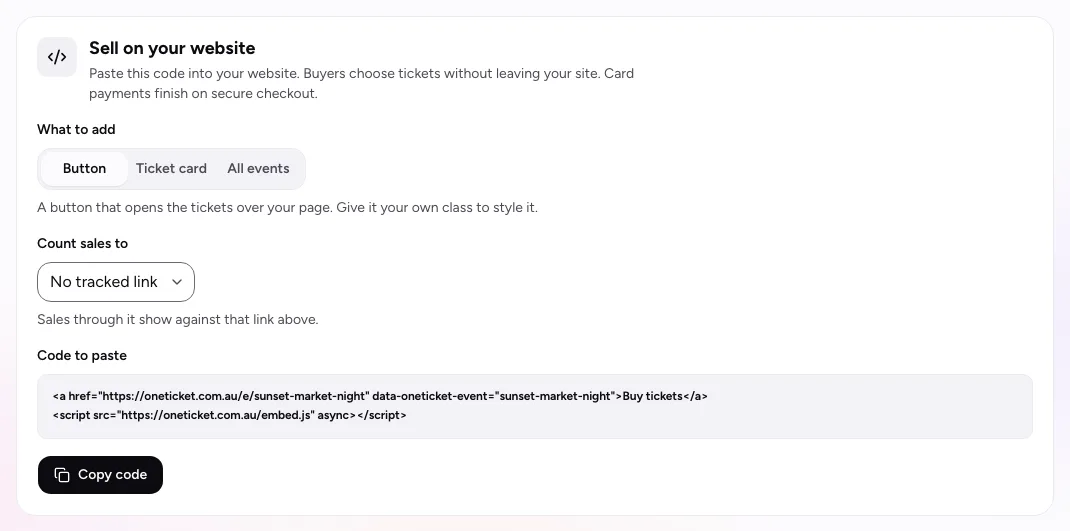
Paste a short piece of code into your own website and buyers choose tickets without leaving it. Card payments finish on One Ticket's secure checkout.
Get the code
- On Events, choose the event to open its page in the app.
- Choose the Links tab and find Sell on your website.
- Under What to add, choose:
- Button: a "Buy tickets" button that opens the tickets over your page. Give it your own class to style it.
- Ticket card: this event's tickets in a card that sizes itself to fit.
- All events: every upcoming public event of yours (not those hidden from your organiser page), each with Get tickets, or Sold out, Sales closed or when it goes on sale. A day of several times shows its soonest time, with "+8 more times that day".
- Optionally choose a tracked link under Count sales to, so sales through your site show against it.
- Choose Copy code.
- Paste it into your website where you want it to appear, using your site builder's HTML or embed block.
Good to know
- The event must be published. Private events can't be sold from another website: make it public or unlisted.
- A buyer with an access code is sent to the event page to use it.
- When the event sells out, the button says so, or offers the waitlist if it's on.
Still stuck? Contact support and a person will get back to you.