Transfer a ticket to someone else
Can't go? Give your ticket to a friend: they get a new QR code, and yours stops working.
Can't make it? Pass your ticket on to someone else. You don't need the organiser's OK.
- Open the ticket: from your ticket email (choose Transfer ticket), or from My tickets.
- Choose Transfer under the ticket.
- Enter the new attendee's name and email, then choose Send new ticket.
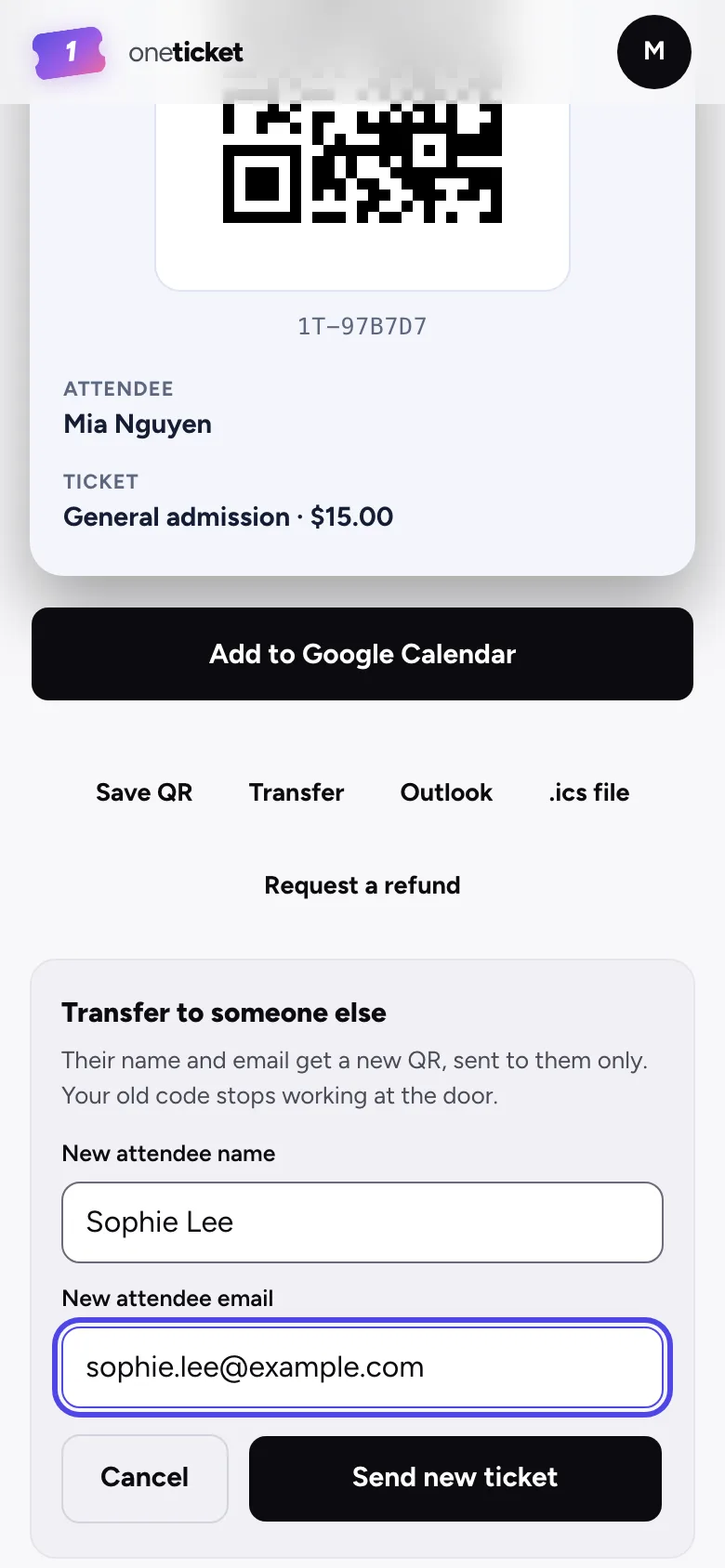
If you're not signed in, you're also asked for the email on this ticket: the one you booked with, or the one the ticket was sent to. That's how we know it's yours.
What happens next
- The new attendee is emailed a new ticket with its own QR code. Only they get it: the page shows you where it went (part of their email address), never the new ticket.
- Your old QR code and ticket code stop working straight away. If someone shows them at the door, they're turned away.
- You're emailed to say the ticket has moved. Once it's theirs, you can't take it back: only they, or the organiser, can pass it on again.
- If their email didn't go, they can sign in with that address to find the ticket under My tickets, or ask the organiser to send it again.
- There's no charge, and the booking fee isn't paid twice.
When you can't transfer
- The ticket has already been checked in.
- The event has finished.
- The ticket was refunded, or the event was cancelled.
- The organiser doesn't sell this ticket type to that person, or that person asked the organiser never to email them.
Need to change the name or email some other way? Ask the organiser: they can transfer a ticket from their orders, or put a buyer's email right.
A transfer isn't a refund: the place stays sold and goes to someone else. Once a ticket on the order has been passed on, the order can't be refunded from the ticket: contact the organiser. To get your money back instead of passing it on, see Get a refund.
Still stuck? Contact support and a person will get back to you.