Get a refund
Refund your own order, or ask the organiser, depending on their refund policy.
Each event shows its refund policy before you pay. What you can do depends on it.
Refund it yourself
If the policy allows refunds and you're within its time:
- Open your ticket (from your ticket email, or My tickets).
- Choose Request a refund.
- Check the amount and choose Refund my order.
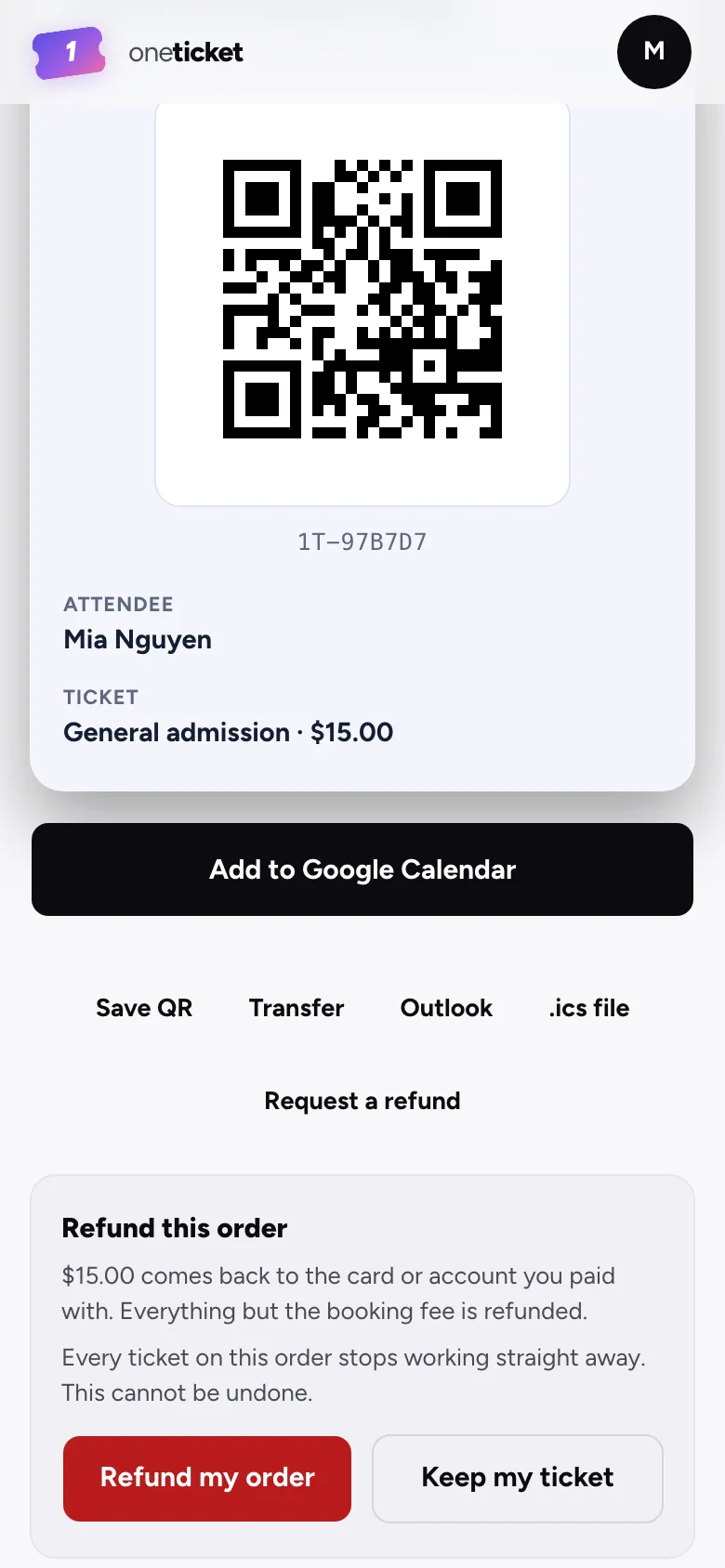
The money goes back to the card you paid with. The ticket price is refunded; the booking fee isn't, unless the organiser changed the date, time or place after you booked. Every ticket on the order stops working straight away.
Only the person who booked can refund, signed in with the email used at checkout. Once a ticket on the order has been passed on to someone else, the order can't be refunded here: contact the organiser.
Ask the organiser
If the organiser decides refunds case by case:
- Open your ticket and choose Ask for a refund.
- If you're not signed in, choose Sign in and use the email you booked with. You come back to your ticket with the form open.
- Optionally say why, and choose Send request.
The organiser has 3 days to answer, or until a day before the event if that's sooner. If they don't answer, One Ticket support takes it up and emails you.
Contact the organiser
Your ticket says how to reach them: "Questions? Email" the organiser, or "Questions? Reply to your ticket email". Replies to your ticket email go to the organiser.
If the event changes or is cancelled
- Date, time or place changed: you can refund in full, booking fee included, until it starts.
- Cancelled: you don't need to ask. If you paid by card, the whole order is refunded to that card automatically, ticket price and booking fee, and you get an email saying so. It usually shows within a few business days. Your tickets stop working, and the event's page and ticket say it was cancelled.
- If the email says your refund hasn't gone through yet, the organiser is sorting it out and you'll get another email when it does.
- If you paid the organiser in person, your refund comes from them directly.
- If someone else booked your ticket, any refund goes back to them.
- Still nothing after several business days? Contact support.
If it didn't go ahead
Turned up and nothing happened? For 30 days after the event, open your ticket and choose Didn't go ahead?, then Tell One Ticket. Optionally say what happened, and choose It didn't go ahead. One Ticket looks into it with the organiser, and a new organiser's payout for the event waits while we do.
Still stuck? Contact support and a person will get back to you.