Attendees
Who's coming to an event, who's through the door, and their details.
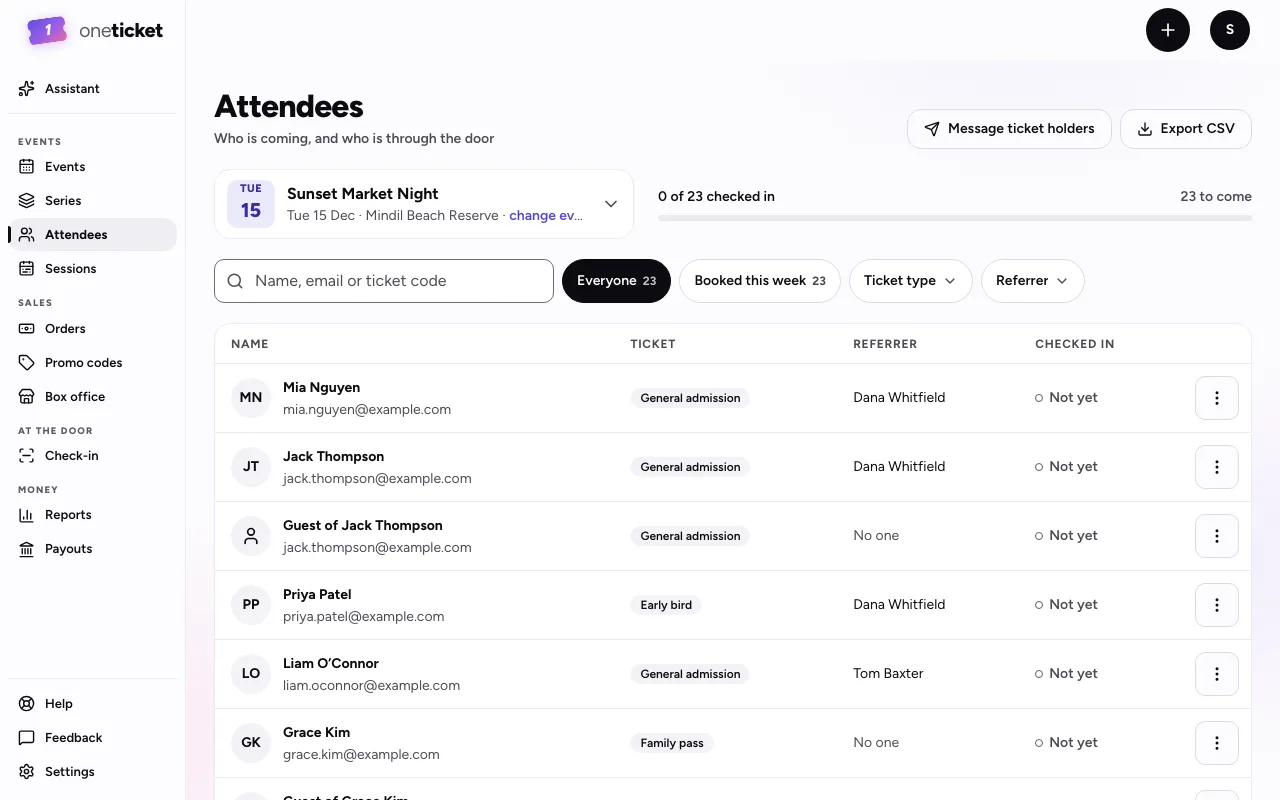
Attendees lists everyone with a ticket for an event, one row per person, guests included.
See an event's attendees
- Choose Attendees in the menu on the left.
- The event card at the top shows the event. Choose change event to pick another from the Event sheet, which lists events coming up and past, with how many have booked each. A premiere played several times a day is listed by day: pick the day's time.
- Narrow the list with Search (name or email), the chips Everyone, Booked this week and Not in yet (after the event, Never came), or the Ticket type chip. Clear appears once a filter is on.
One line shows how it's going, for example "12 of 20 checked in" and how many are still to come. For an online event it counts who joined, and each person's row says whether they Opened the link (or Didn't open the link). For a premiere, it says when they joined and left and how much they watched, such as "Left 7:34 pm · 34 of 52 min watched", Stayed to the end, "Watching now · 12 of 52 min so far" or Didn't watch, with any time out of the room as a break ("4 min break"). These times belong to the ticket: one passed on to someone else keeps when it first joined.
If the event asks the referrer question, a Referrer column says who each person chose, and the Referrer filter shows one referrer's people (or No one's).
A person's menu
Open the menu (⋮) beside someone:
- View details: their ticket, when they booked, whether they've checked in, and their answers. For a premiere, also when they joined and left, how far into the video they got, how long they watched, their answers In the webinar and their Quiz score.
- Resend tickets: emails every ticket on their order.
- View order.
- Block: see Block a buyer.
A guest on someone else's order shows as "Guest of" the buyer when they didn't give their own name.
Export CSV at the top right downloads the list (on a phone, it's in the ⋯ menu). See Export to a spreadsheet.
Message ticket holders, beside it (first in the ⋯ menu on a phone), emails everyone with a ticket, or some of them: see Message ticket holders.
Still stuck? Contact support and a person will get back to you.