Choose your currency
Sell in Australian dollars, US dollars or British pounds, and when the choice is fixed.
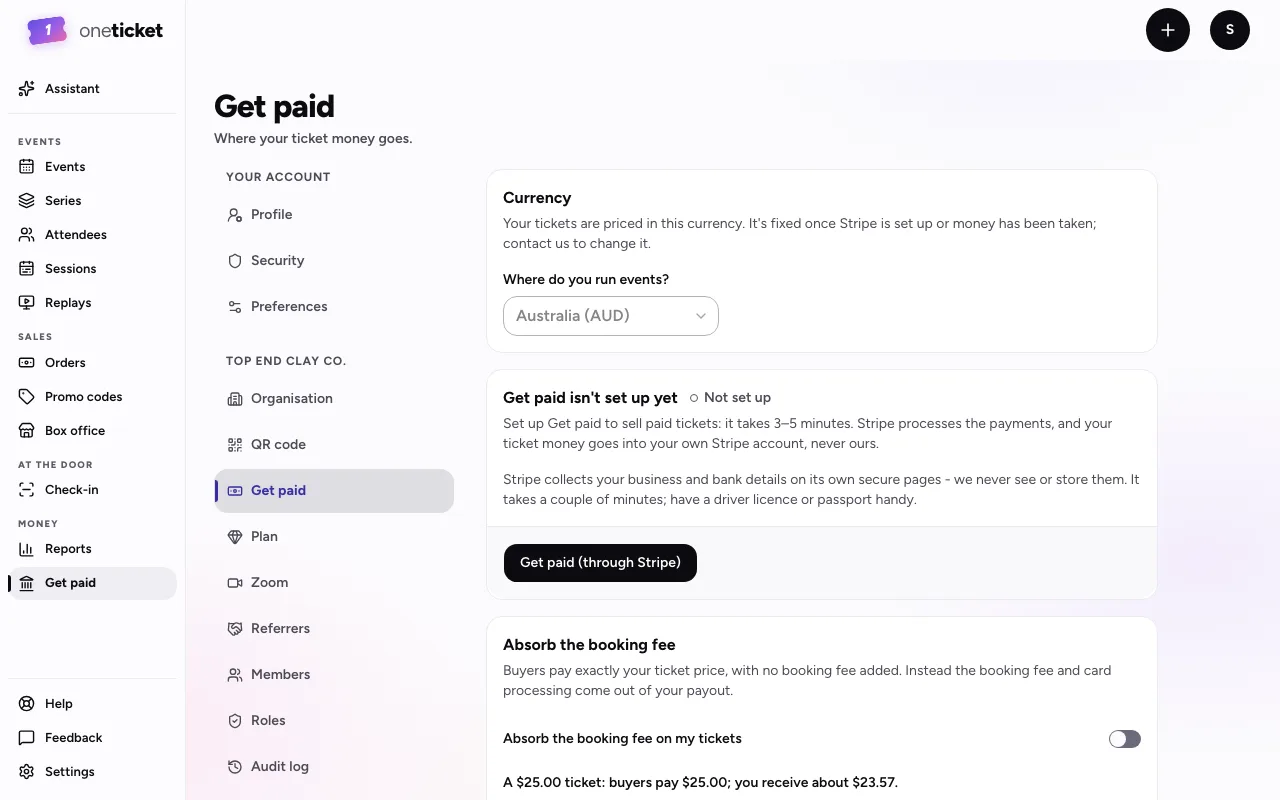
Your organiser sells in one currency: Australia (AUD), United States (USD) or United Kingdom (GBP). Every ticket price is in that currency, and so is your Stripe account.
Change your currency
- Go to Get paid in the menu on the left (on a phone, More, then Get paid).
- Under Currency, choose Where do you run events?
- Choose Save currency.
If you already have paid ticket types, the amounts stay as they are and are read in the new currency. Check your prices after saving.
When it's fixed
The currency is fixed once Stripe is set up or money has been taken, because Stripe fixes your country when your account is created. To change it after that, contact support.
Only the organiser's owner can change the currency.
Still stuck? Contact support and a person will get back to you.