The morning-after summary
How each event went, in your inbox at 7 am the next day.
The morning-after summary is on every plan.
At 7 am the day after each event, every owner of your organiser gets an email saying how it went: how many booked, how many came, new faces, and the ticket types.
Series: who is missing, who is new
For a session of a repeating event, the email also has Who is missing, who is new:
- Missing: people at the session before who didn't book this one. Anyone still covered by a subscription to the series isn't counted as missing.
- New: people here for the first time in the series.
Names only, never email addresses, and up to 12 in each list ("and 5 more" for the rest). On the series' first session, everybody is new.
Send it to yourself again
Once an event is over, open it from Events, under Ended, then open the ⋯ menu at the top right and choose Send me the report. We email that event's morning-after summary to the address you sign in with, and nobody else, saying "You asked for this" and, if it went at 7 am, the day it first went out. It says "Sent to" and your address once it's on its way.
It works even with The morning after each event switched off, and leaves the money out if Show money in the morning-after email is off. Anyone on your team who can see orders can ask for it. You can ask once every five minutes for each event.
Turn it on or off
- Go to Settings, then Preferences.
- Under Notifications, switch The morning after each event on or off.
- To leave the money out, switch off Show money in the morning-after email. It then has attendance only, with no amount anywhere in it.
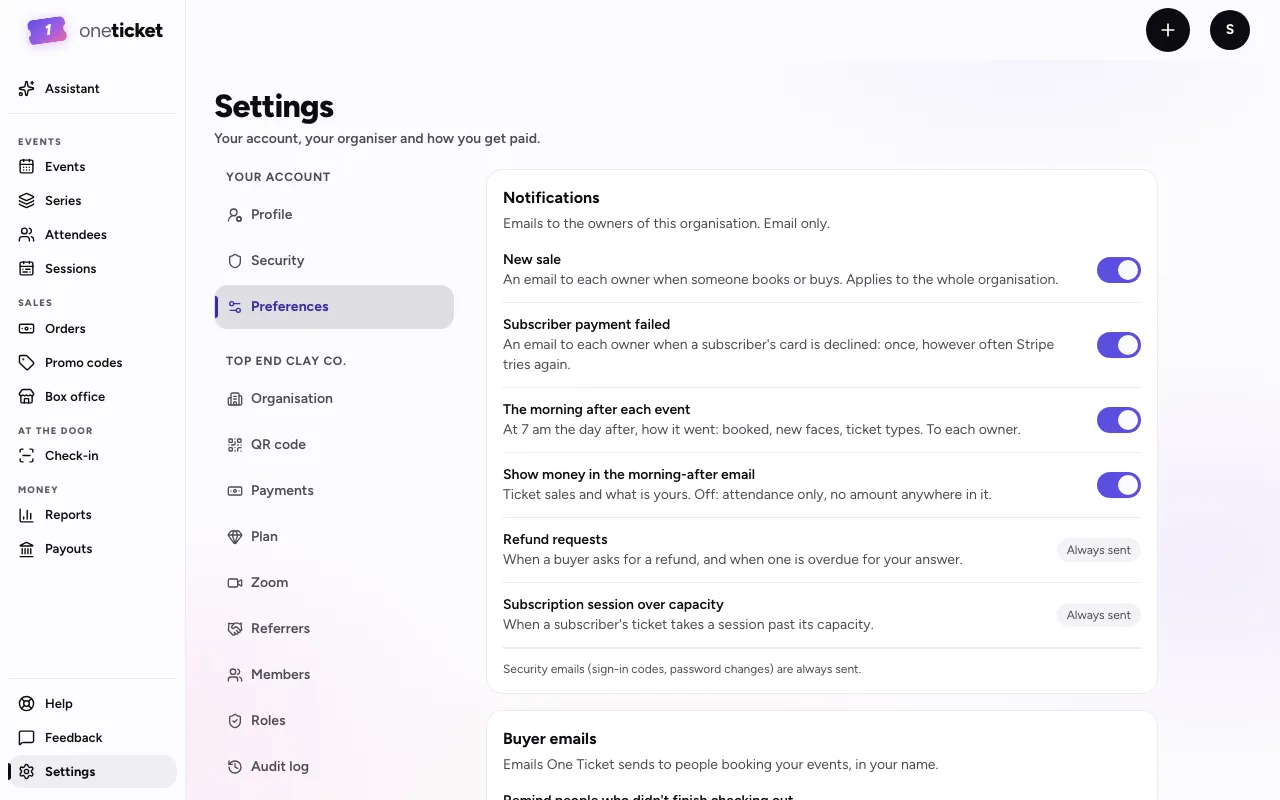
The New sale switch on the same page sends each owner an email when someone books or buys. See Preferences.
Still stuck? Contact support and a person will get back to you.